
Touch Piano Music Simulator
Reviews
Touch Piano Music Simulator delivers exactly what its name suggests: a playable piano on your touchscreen. Its strength lies in removing barriers—no lessons, no sheet music, no complex menus. Beginners can tap keys to hear notes, while experienced players can practice chords. The app is not a teaching tool and offers no structured progression, so those seeking guided lessons may find it limited. It suits anyone wanting a simple, calming way to make music.
About this game
A Piano That Fits Your Screen
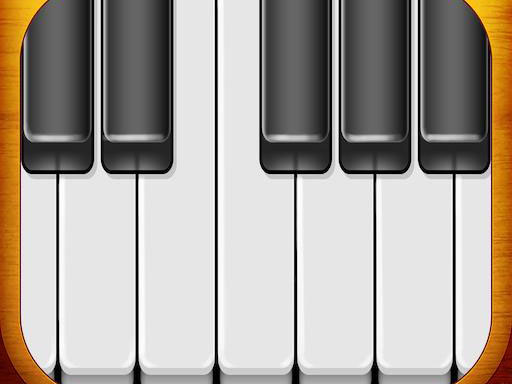
Touch Piano Music Simulator displays a full piano keyboard on your touchscreen device. Each key responds to a tap with the corresponding note, and pressing several keys at once produces chords. The layout mirrors a real piano, so anyone familiar with a keyboard will recognize the arrangement immediately. There is no setup process or loading delay between opening the app and playing your first note. The design keeps the focus on the instrument itself rather than menus or settings.Play Without Instructions
The interface is built for direct interaction. Tapping any key triggers immediate audio feedback, which makes the connection between touch and sound clear from the first moment. You can experiment with single notes, combine them into chords, or try familiar melodies by ear. Because no lessons or sheet music are included, the app encourages free exploration. The absence of goals or timers means you can play for a few seconds or an extended session without pressure.Accessible to All Skill Levels
Beginners can start by tapping keys to hear notes and gradually build finger coordination. Experienced musicians can use the same keyboard to practice chord progressions or work out melodies. The app does not require prior musical knowledge, and it does not impose a difficulty curve. Its simplicity makes it suitable for a wide range of ages and abilities. The experience is designed to be calming and creative, letting users focus on the act of making music rather than navigating complex features.A Tool for Relaxation and Experimentation
The app's straightforward approach removes barriers between the user and the instrument. You can play scales to familiarize yourself with the key layout, experiment with rhythms, or simply tap random notes to explore sounds. Listening to piano music elsewhere can provide ideas to try. The overall goal is enjoyment of the creative process and the soothing effect of piano tones. No scores, achievements, or pressure are part of the design.Compatibility
Play on Any Device | Chrome / Safari / Edge Recommended
FAQ
Can I play chords on Touch Piano Music Simulator?
Yes. The app supports pressing multiple keys at the same time, just like a real piano. This allows you to form chords and play more complex pieces. The touchscreen responds to each finger independently, so you can hold several notes simultaneously without issue.
Do I need any musical experience to use this app?
No musical background is required. The interface is designed for immediate use, and there are no lessons or sheet music to follow. You can start by tapping keys to hear notes and gradually experiment with combinations. The app is meant to be accessible to complete beginners.
Is Touch Piano Music Simulator free to play?
The provided information does not specify a price or payment model. It describes the app as a music simulation with a simple design, but does not mention in-app purchases, ads, or subscription fees. You would need to check the app store listing for current pricing details.
What devices are compatible with this piano simulator?
The app is optimized for touchscreen devices, as it relies on tapping the screen to play notes. It is not described as supporting physical keyboards or non-touch platforms. For specific compatibility, refer to the app store page for your device.
Can I record or save what I play?
The input does not mention any recording, saving, or export features. The app focuses on real-time playing and listening. If recording is important to you, you may need to use a separate screen recording tool or check whether the app has been updated with such features.
Does the app include different piano sounds or instruments?
The description only refers to piano sounds and does not mention other instruments or sound options. It presents a single piano keyboard experience. Any additional sound packs or instrument choices would be outside the scope of the provided information.
Comments
Sign in to leave a review
No comments yet.






Editorial Notes