 Voxel Arcade Hub
Voxel Arcade Hub
Voxel Arcade Hub
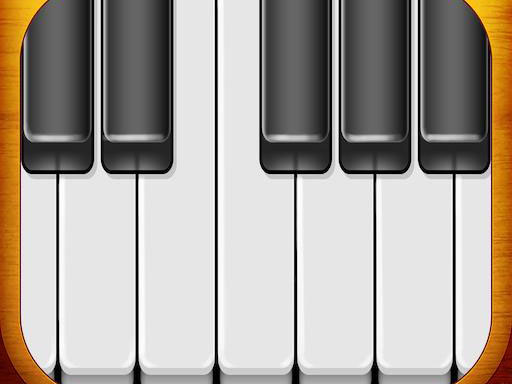
Touch Piano Music Simulator excels in simplicity and accessibility. The clean interface and instant touch response make it perfect for beginners and casual players. It provides a calming way to explore music without pressure or complexity. While it lacks advanced features like recording or multiple instrument sounds, its focus on pure piano play is refreshing and enjoyable for all ages.
Touch Piano Music Simulator turns your touchscreen device into a fully functional piano keyboard. This music simulation app offers a clean, simple design that makes it easy for anyone to start playing. Whether you are a complete beginner or an experienced musician, the game provides a relaxing way to create melodies, practice songs, or simply enjoy the soothing sounds of a piano. Its straightforward approach removes the need for any setup or prior musical knowledge, allowing you to focus on making music. The core objective is to explore the joy of playing piano without the complexity of a real instrument. What makes this app unique is its accessibility: no lessons, no sheet music, and no pressure. Just tap and listen. The experience is designed to be calming and creative, encouraging users to experiment with sounds at their own pace.
Players typically launch the app on their touchscreen device to see a full piano keyboard displayed on the screen. To play, simply tap any key with a finger to hear the corresponding note. You can press multiple keys at the same time to form chords, just like on a real piano. The interface is designed for intuitive use, so you can start playing immediately without any instructions. Experiment with different combinations of notes, try playing simple tunes, or just tap randomly to explore the sounds. No musical background is required—just tap and enjoy the experience. The app responds instantly to each touch, providing immediate audio feedback that makes learning through play natural and fun.
The app features a simple and clean design that makes navigation quick and easy. Its interface requires no learning curve, so you can start playing instantly with no loading delays. Optimized for touchscreen devices, it provides a full range of piano keys, allowing you to play both single notes and chords. The app is designed to be responsive and smooth, ensuring a pleasant experience as you create music. These features make it accessible to players of all ages and skill levels. The focus is on simplicity and ease of use, removing any barriers between the user and the act of making music.
To get the most out of Touch Piano Music Simulator, practice regularly to improve your finger coordination and timing. Start by playing simple melodies or scales to build familiarity with the key layout. Experiment with different rhythms and chord progressions to discover your own musical style. Listening to piano music can also inspire new ideas. Most importantly, relax and have fun—the goal is to enjoy the creative process and the calming effect of making music.

A relaxing pet care game that teaches compassion. Great for all ages.

A charming and relaxing puzzle game that brings back happy school memories with creative props and simple fun.

A charming pixelated trading game with strategic depth. Easy to learn, rewarding to master.

A straightforward building game with clear goals. Good for learning planning and patience.
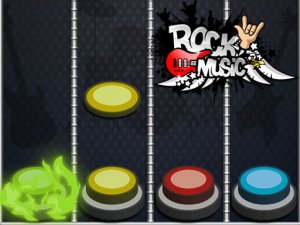
Rock Rhythm Arcade Game offers fun, family-friendly music gameplay with bright visuals and catchy rock tunes.

Realistic parking simulation with smooth controls and progressive difficulty. Great for practicing real-world skills.
A simple, relaxing piano simulator that turns your device into a musical instrument with no learning curve.