 Voxel Arcade Hub
Voxel Arcade Hub
Voxel Arcade Hub
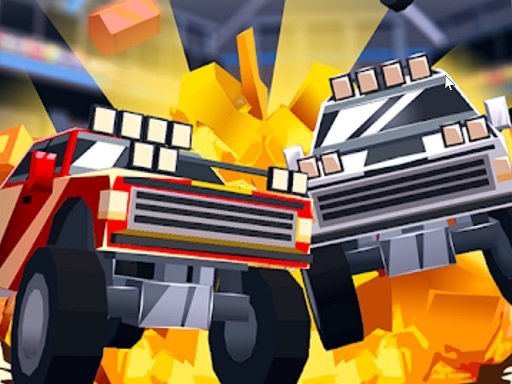
Blocky Roads 3D Racing Game delivers a smooth, family-friendly racing experience. The blocky graphics are charming, and the controls are simple enough for young players. The Car Editor adds replay value by letting you design unique vehicles. With 16 tracks and multiple vehicles, there is plenty to explore. It is a solid choice for short, stress-free gaming sessions.
Blocky Roads 3D Racing Game is an arcade-style driving adventure set in a charming voxel world. The game begins with a playful story: a tornado has scattered your farm parts across various landscapes, and it is your job to race through colorful environments to collect them. This hypercasual title focuses on simple, accessible driving mechanics that appeal to players of all ages. The bright, blocky art style creates a friendly and stress-free atmosphere, making it a great choice for casual gaming sessions. Whether you are a child or an adult looking for a lighthearted racing experience, this game offers a gentle challenge without overwhelming complexity.
Players start by selecting a vehicle from the garage, which may include options like trucks, bikes, or monster trucks. The controls are straightforward: use on-screen buttons to accelerate, brake, and steer your vehicle. Your main objective is to drive through each track as quickly as possible while collecting farm parts along the way. Different terrains—such as green hills, snowy mountains, and desert dunes—require you to adjust your driving to stay on the road. After completing a few tracks, you can unlock a Car Editor that lets you build and paint your own custom vehicle. The game is easy to learn, with no complicated rules or timers, so you can jump right in and start racing.
Blocky Roads 3D Racing Game includes multiple tracks set in varied environments, offering fresh challenges with each run. Players can choose from a selection of vehicles, each with its own handling characteristics. A standout feature is the Car Editor, which becomes available after progressing through the initial tracks, allowing for creative vehicle customization. The game also includes achievements and leaderboards to track your progress and compare times with others. The voxel graphics are colorful and family-friendly, ensuring a safe and enjoyable experience for all ages. The overall design emphasizes fun and creativity over competition.
To improve your performance, focus on learning how each vehicle handles on different surfaces. Practice braking before sharp turns to avoid skidding off the road. Collecting farm parts efficiently requires you to balance speed with careful steering. Use the Car Editor to experiment with vehicle designs that suit your driving style. Regularly revisit tracks to beat your best times and unlock new content. Since the game is designed for short play sessions, try to stay relaxed and enjoy the process rather than rushing. Consistent practice will help you master the controls and navigate the tracks with greater ease.

Simple controls and colorful graphics. A fun test of timing and estimation for quick breaks.

Fun physics puzzles with a silly theme. Levels are short and satisfying. Great for quick play.

Charming spot-the-difference game with Mario themes. Relaxing and perfect for short breaks.
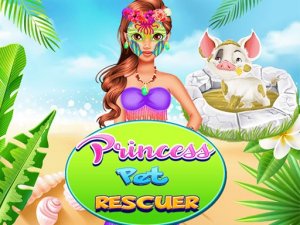
Kind and creative. Easy to play with clear visuals. Great for young children.

Charming forest scenes and clear gameplay. A relaxing puzzle that sharpens observation skills.

Simple tapping fun with escalating challenge. Great for quick breaks and all ages.
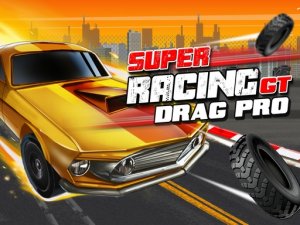
Realistic drag racing with fun upgrades. Clan battles add a nice challenge.