
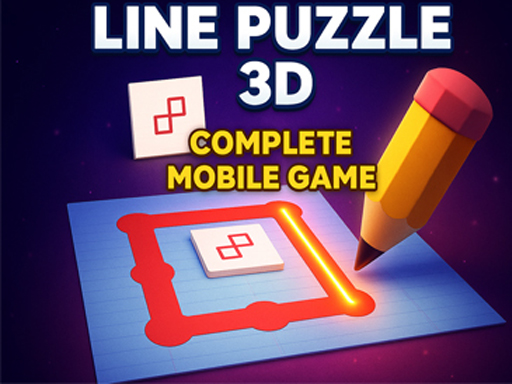
3D Line Tracing Puzzle
Reviews
3D Line Tracing Puzzle delivers a straightforward challenge: keep a virtual pencil on a marked path around three-dimensional figures. Its strengths are clean presentation, simple controls, and a difficulty curve that rewards patience over speed. The lack of timers or scores keeps pressure low, making it a good fit for players who enjoy precision tasks and quiet concentration. The main limitation is variety—if you dislike tracing or want fast action, this won't hold your attention.
About this game
Tracing 3D Shapes
The game asks you to move a virtual pencil along the edges of three-dimensional geometric figures. A starting point is marked, and the intended route is highlighted. Your job is to stay on that line from beginning to end without lifting the pencil or drifting off course. Each shape is a closed outline, so the path returns to where it began. The challenge comes from maintaining contact with the line while the shape bends and angles in three dimensions.
Controls and Feedback
You control the pencil by moving your mouse or sliding a finger on a touch screen. The path is visible, so you can see exactly where to go. If the pencil leaves the line, the level can be restarted. There is no timer or score shown in the description, so the only pressure is your own accuracy. The controls are simple, but a steady hand matters more than speed.
Progression and Difficulty
Levels are organized to become harder as you go. Early shapes are simpler, and later ones introduce new angles and more intricate designs. Completing a shape unlocks the next stage. This gradual increase lets you build skill over time. The game does not specify a level count or a difficulty setting, so the progression is purely shape-based.
Who It Suits
This is a casual puzzle game for people who enjoy careful observation and hand-eye coordination. It is described as relaxing and engaging, with a sense of accomplishment after finishing each shape. It runs in a browser on desktop and mobile devices, with no installation needed. The clean interface keeps attention on the tracing task. It is accessible to casual players and puzzle enthusiasts alike.
Compatibility
FAQ
Comments
Sign in to leave a review
No comments yet.






Editorial Notes