
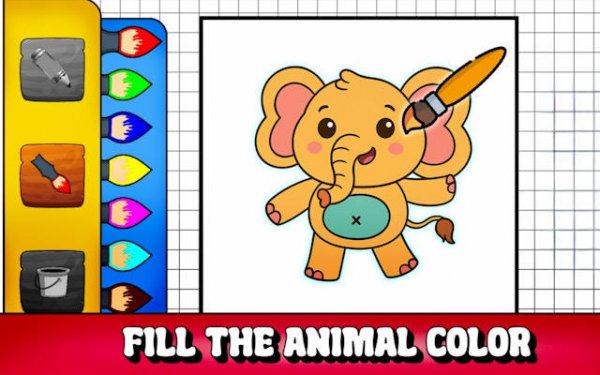
Animal Color Canvas: A Digital Painting Game
Reviews
Animal Color Canvas keeps things simple: pick an animal outline, choose colors, and fill it in. The palette, fill bucket, and adjustable brushes cover both quick and careful coloring. Saving and sharing finished pictures adds a social touch. Because it runs in a browser with no ads or purchases, it suits young children and parents who want a distraction-free activity. The main limitation is that the experience depends on the available outlines, so variety may vary over time.
About this game
A Gallery of Animal Outlines
Animal Color Canvas opens with a gallery of animal line drawings. The collection includes familiar pets such as cats and dogs alongside wild animals like elephants and parrots. Each outline is kept clean and uncluttered so that young players can identify the shapes and fill them in without confusion. New drawings are added over time, which gives returning visitors a reason to check back for fresh material.
Choosing and Applying Colors
The coloring process is deliberately simple. A broad color palette sits on screen; players click a shade to activate it, then tap or click a section of the animal outline to apply that color. Two tools support different approaches: a fill bucket covers larger areas quickly, while adjustable brush sizes let players work carefully around edges or inside small spaces. This means a child can finish a picture in a few minutes or spend longer refining details, depending on their mood and patience.
Saving and Sharing Finished Pictures
When a picture is complete, the game offers options to save the image directly to the device or share it with others. That feature turns a solo activity into something social, since children can show their work to family members or friends. Saved files keep the colors that were applied, so the final look of each piece is preserved exactly as it appeared on screen.
No Installation, No Distractions
Animal Color Canvas runs entirely inside a web browser. There is no software to install and no account to create. It works on desktop computers, tablets, and smartphones, and the interface adapts to different screen sizes so buttons and color choices stay easy to tap or click. The environment is also designed to be free of advertisements, pop-ups, and purchase prompts, which lets children focus on coloring without interruptions. Parents can let younger users explore independently, knowing the space is controlled and age-appropriate.
Compatibility
FAQ
Comments
Sign in to leave a review
No comments yet.








Editorial Notes