
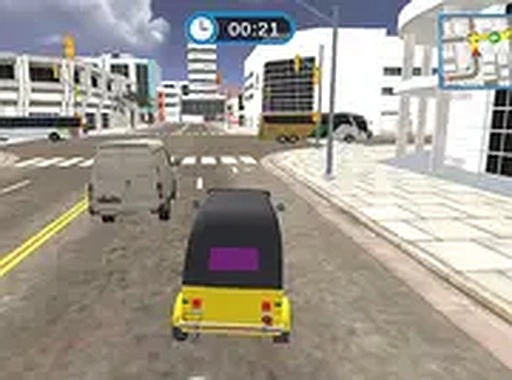
City Rickshaw Navigation Simulator
Reviews
City Rickshaw Navigation Simulator stands out by making vehicle handling the central challenge. The rickshaw's narrow frame and short wheelbase create a tipping risk that forces deliberate steering and throttle control. Traffic patterns and route choices add strategic depth, while the gradual difficulty curve keeps early trips approachable. The browser-based, few-minute session structure fits players who want quick, skill-focused runs without a long commitment. The main limitation is that the source describes only one city setting, so environmental variety may be modest.
About this game
Three-Wheeled Taxi Handling
The rickshaw in City Rickshaw Navigation Simulator does not drive like a standard car. Its narrow frame and shorter wheelbase make it more responsive to steering inputs, but also more prone to tipping when taken at speed through sharp turns. Players must modulate acceleration through corners and anticipate how the vehicle reacts to uneven road surfaces. The controls are tuned for immediate feedback, so every slight adjustment to steering angle or throttle position produces a visible change in trajectory. The design rewards smooth, deliberate inputs rather than jerky movements.
Reading Traffic and Choosing Routes
City streets are populated with vehicles that follow predictable but varied movement patterns. Buses stay in designated lanes, cars change lanes occasionally, and pedestrians cross at intersections. [IMG_0] Successful navigation requires reading these patterns several seconds ahead and choosing a path that minimizes sudden braking or swerving. The game presents a series of drop-off points, and the optimal route between them is rarely a straight line. Players must decide whether to take a longer, less congested path or a shorter route with heavier traffic.
Progression and Difficulty Curve
Early trips introduce basic traffic situations with ample space between vehicles. As players complete more deliveries, traffic density increases and the time windows for reaching destinations become tighter. Later scenarios might involve narrow alleys, construction zones with temporary barriers, or roads with multiple lanes of fast-moving traffic. [IMG_1] The difficulty ramps up gradually, allowing players to build skills before facing more demanding conditions. Each successful run provides a sense of accomplishment and encourages replaying to improve times.
Visual Design and Session Structure
The city environment is rendered with enough detail to feel lively without being distracting. Buildings, street signs, and road markings are clearly visible, helping players orient themselves and anticipate upcoming turns. The color palette uses warm tones that suggest a bustling urban setting during daytime hours. Visual clarity ensures obstacles and other vehicles stand out against the background, which is crucial for split-second decisions. The overall aesthetic supports the gameplay rather than overwhelming it. Each trip from pickup to drop-off typically lasts a few minutes, making it easy to complete a run during a coffee break or while waiting. The game launches directly in a browser window, and players can start a new trip with a single click. This low-friction design suits casual gaming habits.
Compatibility
FAQ
Comments
Sign in to leave a review
No comments yet.






Editorial Notes