
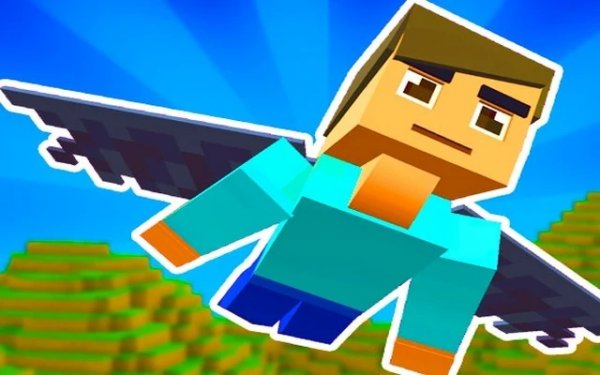
Cloud Glide Runner
Reviews
Cloud Glide Runner is a browser flying game that prioritizes accessibility over complexity. The keyboard controls feel responsive, the pixel-art style keeps hazards readable, and the gradual difficulty curve suits short sessions. Local two-player support adds value for families, and the absence of aggressive monetization is a genuine strength. The main limitation is that the core loop is simple: climb, dodge, collect, repeat. Players seeking deep progression or narrative should look elsewhere.
About this game
Staying Aloft in a Shifting Sky
Cloud Glide Runner asks one thing of you: keep climbing. Your character moves through an endless vertical space, and the core loop is about holding altitude while adjusting to whatever the sky throws next. Keyboard input drives everything — W, A, S, D or the arrow keys — and the physics respond quickly enough that small corrections feel meaningful. The learning curve is gentle, but steady hands are rewarded. Obstacles arrive in patterns that force quick lateral or vertical adjustments rather than frantic mashing.
Reading the Sky: Hazards and Helpers
Floating items appear alongside obstacles, and not all of them work in your favor. Some grant temporary advantages; others introduce setbacks. Because the pixel-art visuals use bright colors and clear shapes, distinguishing a useful pickup from a hazard is usually a matter of paying attention rather than memorizing. The sky backdrop shifts subtly as you climb, which gives each run a sense of forward motion without pulling focus from the action.
Progression Without Pressure
Every run adds to a persistent score, and leaderboards let you compare that score against other players. Cosmetic upgrades for your wings unlock over time, so repeated play produces visible progress. There is no aggressive monetization pushing you toward purchases; improvement comes from playing again and beating your personal best. That structure suits short sessions — a few runs, a new high score, and you are done.
Local Two-Player and Browser Access
A two-player mode lets two people share one screen, with one player on the keyboard and the other on the arrow keys. It works for competition or cooperation and needs no internet connection, so it runs smoothly on any device that supports the browser version. Cloud Glide Runner loads directly in a web browser with no download or installation. It runs across operating systems and devices, including desktops and some tablets, though a physical keyboard is recommended. Regular updates keep it compatible with modern browsers and add new content periodically.
Compatibility
FAQ
Comments
Sign in to leave a review
No comments yet.




Editorial Notes