
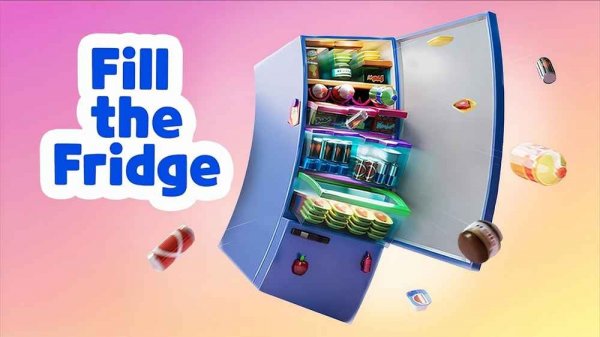
Fridge Organizer Puzzle
Reviews
Fridge Organizer Puzzle succeeds by removing the pressure common to casual games. There is no timer, no penalty for mistakes, and the undo button encourages experimentation. The difficulty curve is honest: more groceries, less shelf space, and a genuine need to plan ahead. It suits players who enjoy tidying, logic puzzles, or short low-stakes sessions. The main limitation is that the concept stays within one narrow activity, so anyone seeking variety or narrative should look elsewhere.
About this game
What You Actually Do
Fridge Organizer Puzzle begins after a virtual shopping trip. A cart arrives filled with food items, and your job is to move each one into its correct place inside the refrigerator. The task sounds simple, but the challenge comes from matching item shapes and sizes to the available compartments. You select an item with a mouse or touch input, drag it into the fridge, and adjust if needed. Wrong placements can be removed, and an undo option lets you reverse a move without restarting the level.
How Difficulty Grows
Early levels give you plenty of shelf space and a manageable number of items. As you progress, the cart holds more groceries while the fridge interior stays the same size. This shift forces you to think ahead: a large item placed carelessly can block access to a smaller one later. The game never adds a timer, so the pressure comes entirely from spatial constraints rather than speed. That design choice keeps the experience calm even when the puzzle becomes genuinely tricky.
Who This Is For
Anyone who finds satisfaction in tidying a space will recognize the appeal immediately. The controls require no prior gaming experience, and the absence of time limits makes it approachable for younger players or anyone who prefers to think without rushing. Players who enjoy logic puzzles and spatial reasoning tasks will find the later levels more demanding, while casual players can treat each stage as a short, low-stakes activity. It runs in web browsers and on Android and iOS devices.
Practical Tips
Place larger items first so they claim the roomiest sections before smaller groceries fill the gaps. Scan for empty spaces that match an item's shape rather than forcing pieces into the nearest opening. If you get stuck, rearranging items you have already placed often reveals a better layout. The undo feature exists for exactly this reason, so use it freely instead of restarting. Pay attention to placement order, because an item near the front can block access to one behind it.
Compatibility
FAQ
Comments
Sign in to leave a review
No comments yet.


Editorial Notes