
Guardian Shield Defense Strategy
Reviews
Guardian Shield Defense Strategy is a browser-based defense game that asks you to protect a city by piloting a guardian vehicle and clearing enemy waves. Its strengths are accessibility and a clear loop: learn patterns, position well, survive longer, score higher. The lack of downloads and dual mobile/desktop support make it easy to try. The main limitation is that the described scope is narrow—wave defense with a blaster—so players seeking deep progression or multiplayer may find it limited.
About this game
Defending the City
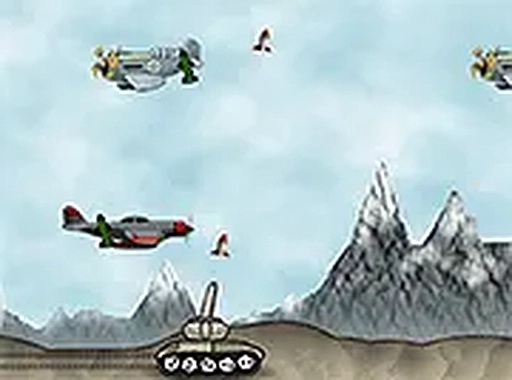
Guardian Shield Defense Strategy puts you behind the controls of a guardian vehicle whose job is to intercept enemy forces before they can threaten your city. You move across the battlefield and use a blaster to eliminate incoming threats. The objective stays consistent across sessions: survive each wave, clear every enemy, and protect what you are assigned to defend. [IMG_1]
Reading Enemy Patterns
Each wave introduces new enemy patterns and obstacles, so the challenge is not just about firing quickly. You need to observe how enemies move, where they enter from, and how their formations change as the game progresses. Later waves require faster reactions and smarter positioning, because the same approach that worked early on may leave you exposed. [IMG_2]
Controls and Platforms
On desktop, arrow keys move the guardian vehicle. On mobile, on-screen controls handle movement. The game runs in a browser with no download required and supports full screen mode for a less cluttered view. Because it works on both mobile and desktop, you can start a session on one device and play on another without installing anything.
Scoring and Replay
High score challenges give each run a measurable goal. Longer survival means more waves cleared and a higher score, which encourages repeated attempts. Sessions can be short or extended, depending on how long you last. The difficulty curve is tied to wave progression: the longer you stay alive, the more demanding the enemy patterns become.
Practical Tips
Learning enemy movement patterns matters more than reacting blindly. Efficient movement keeps you in position to hit multiple enemies without taking unnecessary damage. Retreating when a wave becomes overwhelming is a valid tactic, not a failure. Regular practice improves reaction time and helps you make faster decisions about where to move and when to fire.
Compatibility
FAQ
Comments
Sign in to leave a review
No comments yet.



Editorial Notes